
Handling a Total Loss
Sometimes the damage is past repair and the carrier totals the vehicle. Claimory has a dedicated total-loss path so these claims are handled cleanly. Available on Professional and up.
- Step 11
Flag the risk early
If a claim looks like it may total, add the Potential Total Loss flag so the whole team sees it and the car does not sit in a repair queue it will never finish.
app.claimory.io/claims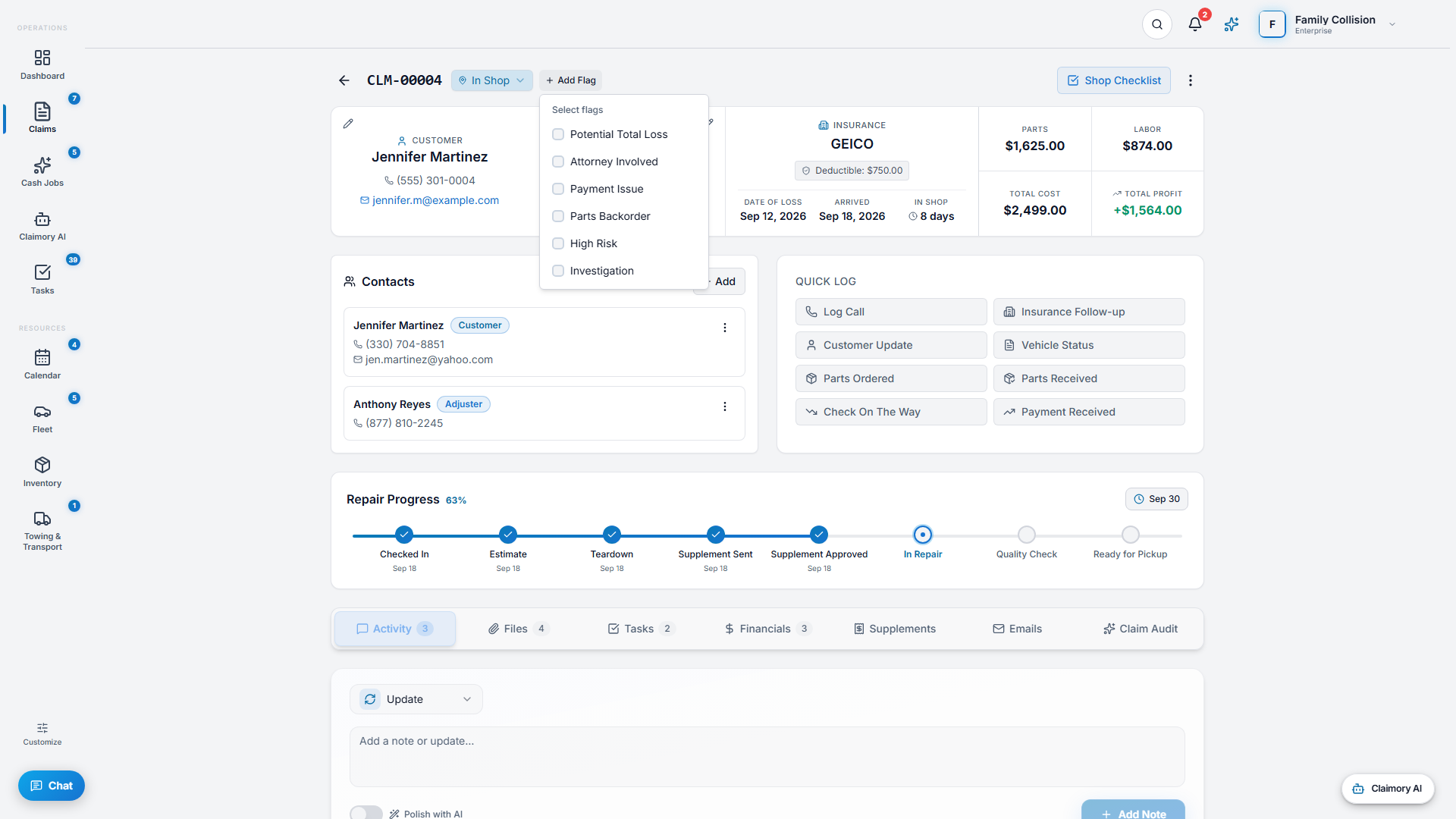
- Step 22
Mark as Total Loss
From the claim's actions menu, choose Mark as Total Loss. This opens the total-loss builder and moves the claim into the total-loss workflow with its own status.
app.claimory.io/claims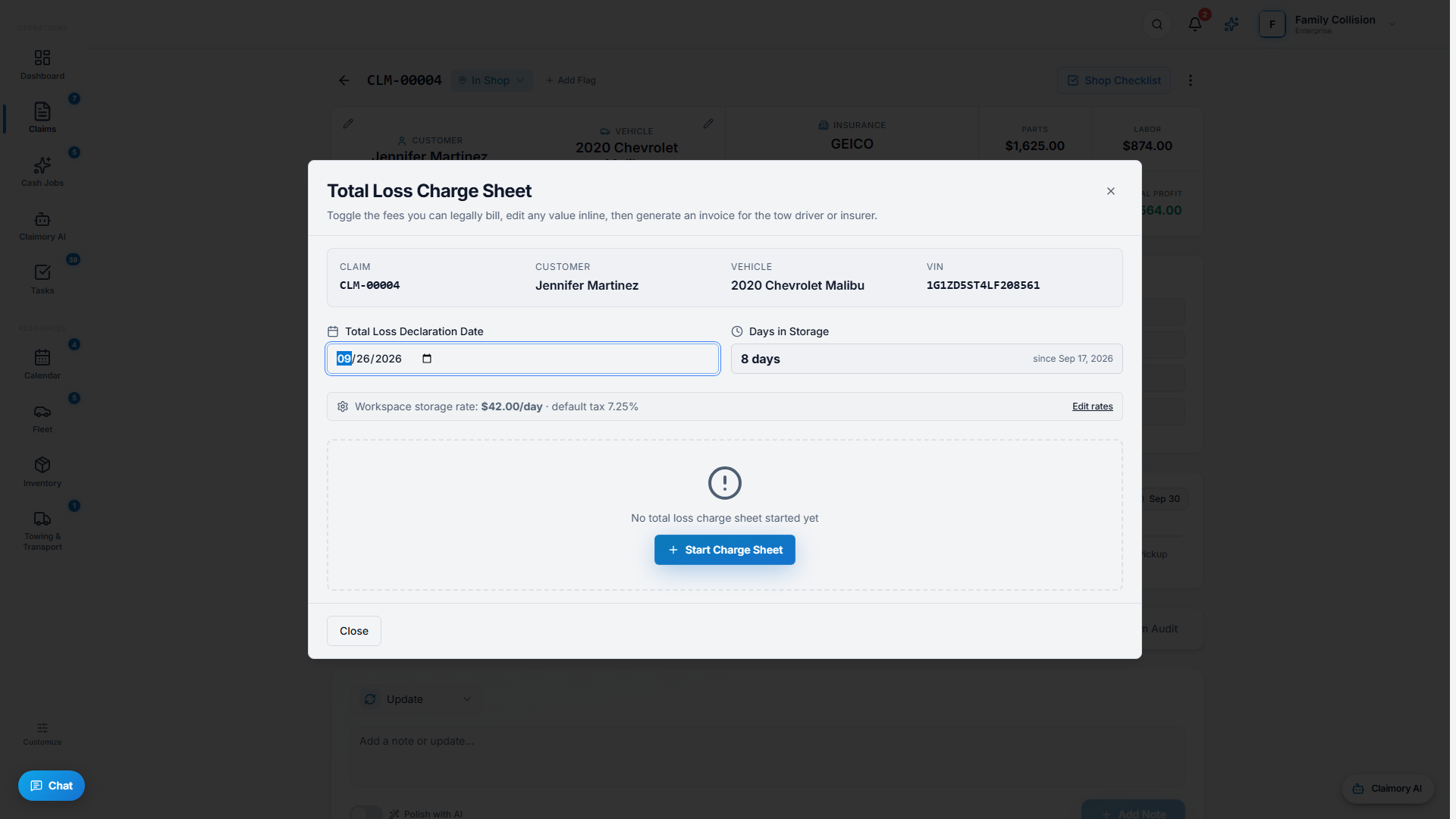
- Step 33
Track it to close
A total-loss claim still tracks the customer, the carrier, storage, and any payment, so you are paid for your time and the vehicle is dispositioned correctly.


Common questions
Related tutorials
Ready to run your shop on Claimory?
Start a free 14-day trial. No credit card. The full Professional feature set, and an office manager onboarded in about 30 minutes.
No credit card. Works with CCC ONE and Mitchell.