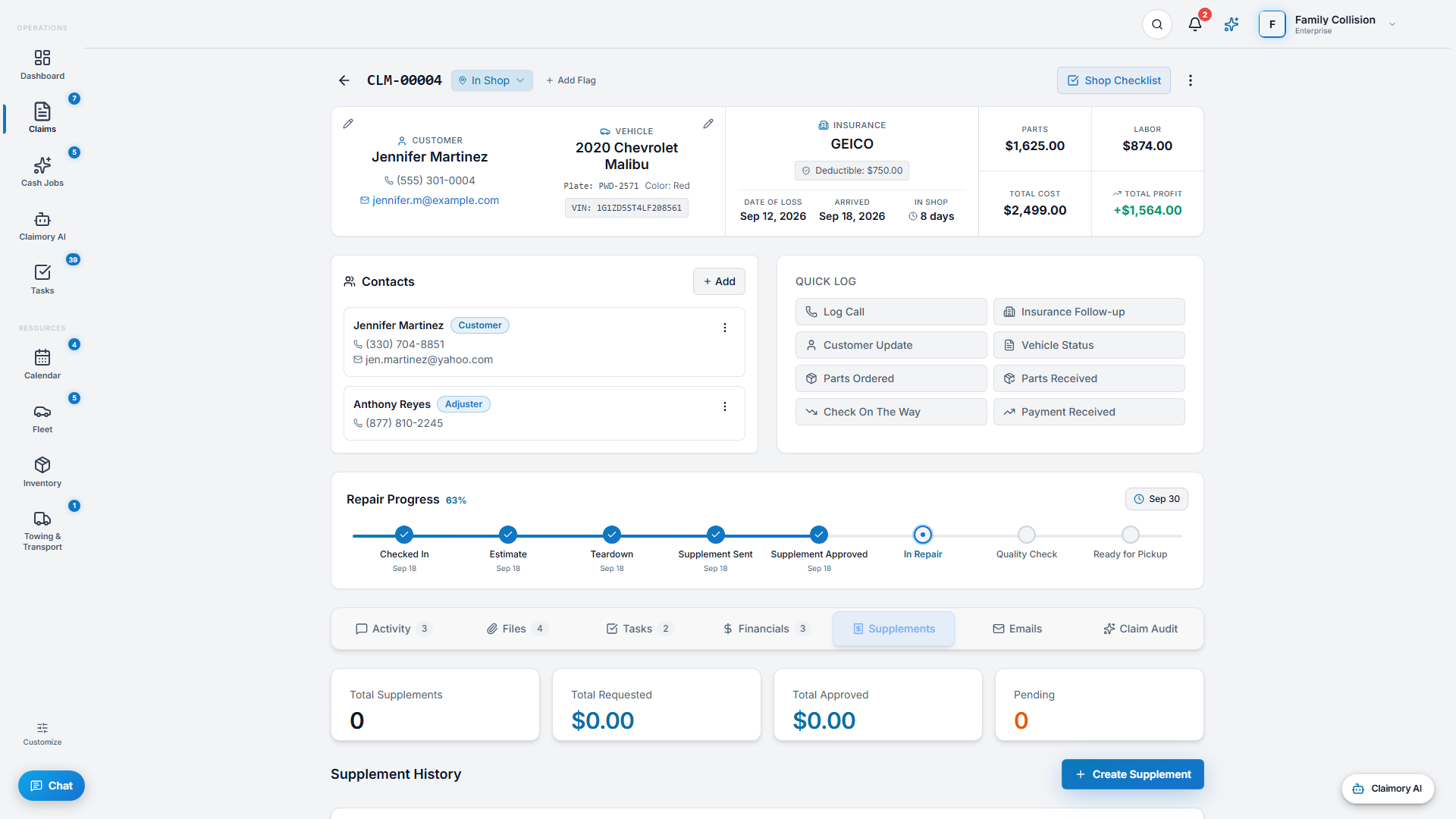
A supplement is additional damage found after the initial estimate. Catching and tracking supplements is how shops recover revenue they are already owed. This is the single most valuable habit Claimory builds.
Step 1
1
Open the supplement tracker
Inside a claim, go to the Financials tab. The supplement tracker shows stat cards (Total Supplements, Total Requested, Total Approved, Pending) and a Supplement History table with the reason, status, dates, requested and approved amounts, and the carrier's response time.
app.claimory.io/claims
Step 2
2
Create a supplement the moment you find damage
When teardown reveals hidden damage, press Create Supplement right away. Enter the additional damage and the amount you are requesting. You can also upload a supplement document for the AI to parse into line items.
Pro tip
The biggest source of lost revenue is the supplement that never gets filed. Create it the moment you find the damage, before it slips.
Step 3
3
Move it through the statuses
A supplement moves from Draft to Pending Review, Submitted, Under Review, then Approved, Partially Approved, Rejected, or Revised. Update the status as the carrier responds and record the approved amount.
In this step
Draft: written up, not yet sent.
Submitted and Under Review: with the adjuster.
Approved or Partially Approved: record the dollars approved.
4
Step 4
4
Let AI draft the adjuster request
On Professional and up, use Claimory AI to draft the supplement request email to the adjuster in your shop's voice. You review it and hit send. Nothing goes out without your approval.
5
Step 5
5
Watch the carrier response time
The tracker records how long each carrier takes to respond. Over time, the Command Center rolls this up into per-carrier supplement rate and payment speed, so you know which carriers slow you down.