
Using Claimory AI and Claim Audits
Claimory AI is a second set of eyes on every claim: a senior estimator, an office manager, and an advocate in one. It drafts and recalls, but it never sends anything on its own. Available on Professional and up.

- Step 11
Open the AI drawer
Open Claimory AI from the pill on the right edge, the mobile header button, or Cmd+K. It docks to the right of your screen, or expands to a full canvas when you want more room.
app.claimory.io/dashboard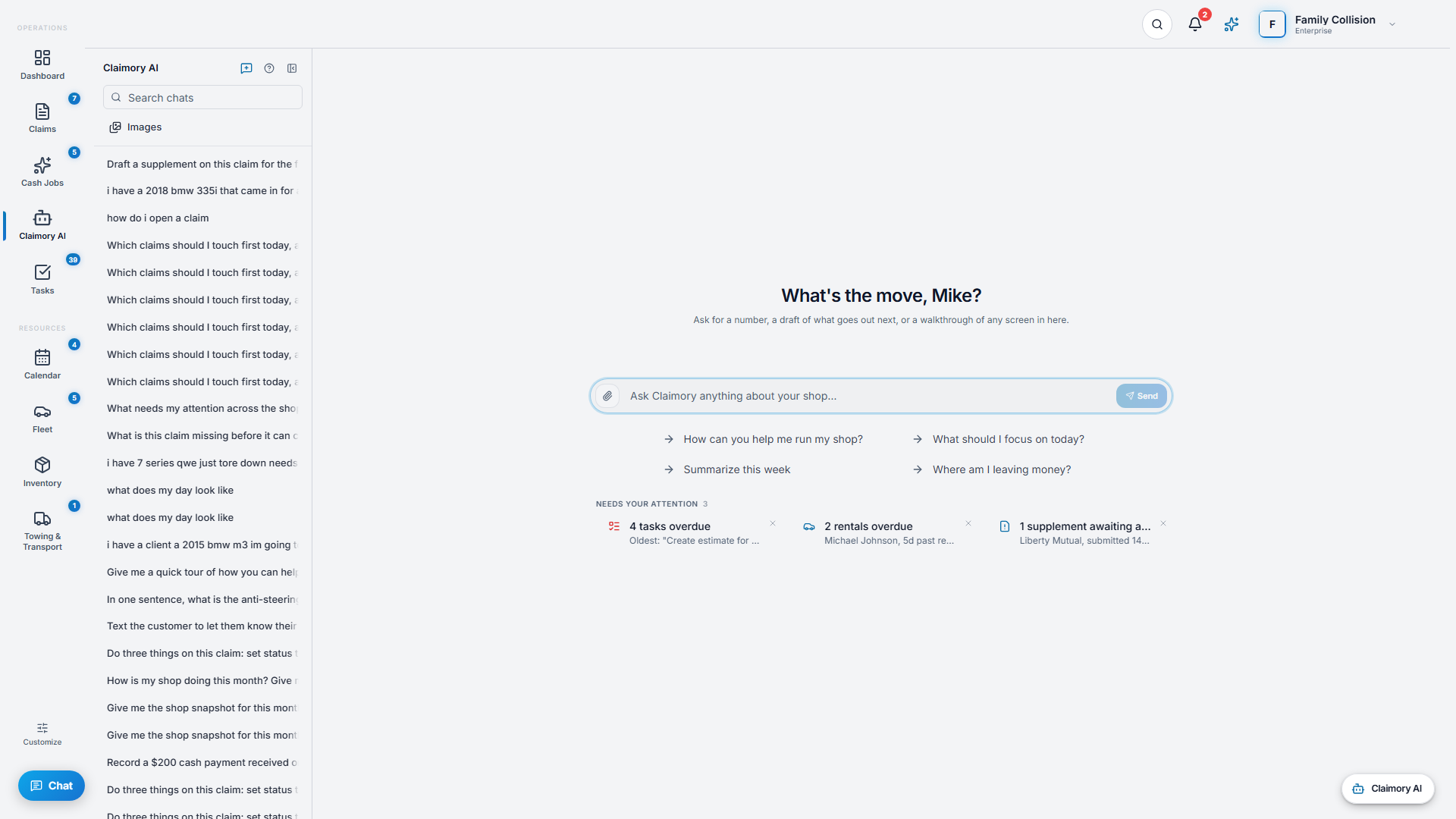
- Step 22
Ask anything about an open claim
Type a question and get an answer in a few seconds, pulled from the claim's notes, files, photos, messages, and supplement state. Use the suggested prompts, or tap a needs-attention card to pre-fill a question.
- Step 33
Attach documents and photos
Drag in or attach images, PDFs, audio, or documents and the AI reads them. This is how you get a supplement PDF or a teardown photo turned into structured line items you can use.
- Step 44
Run a Claim Audit
Ask the AI to audit the claim, or use the Claim Audit tab. It does a multi-pass review of the full record and flags missed labor, blend time, R&I, OEM procedures, and supplement opportunities. The result appears as a card with an Open full audit link, and every finding cites its source.
Tip. A Claim Audit is a suggestion list, not an auto-edit. You apply the findings you agree with.
app.claimory.io/dashboard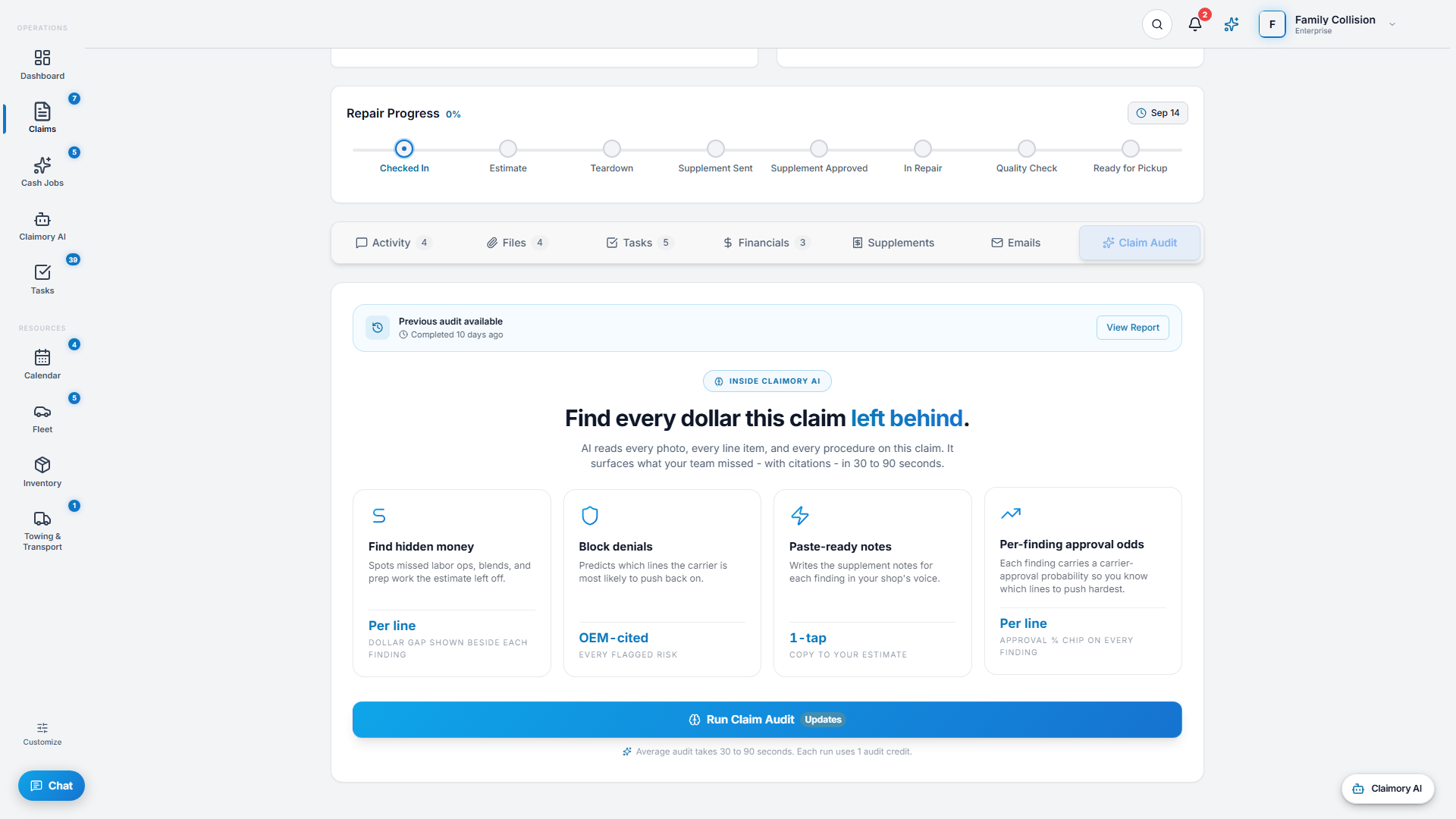
- Step 55
Draft, review, send
When the AI proposes an action like an adjuster email, it appears as a card you approve and run. Smart replies on email and rewrites on outbound texts work the same way: the AI drafts, you approve. Nothing leaves the shop without a human.
- Step 66
Watch your usage
AI chat is unlimited on paid plans. Claim Audits are metered (30 per month on Professional, 100 on Elite, unlimited on Enterprise). If you hit the cap mid-month you get a one-tap prompt to buy an add-on pack or pay per use.

Common questions
Related tutorials
Ready to run your shop on Claimory?
Start a free 14-day trial. No credit card. The full Professional feature set, and an office manager onboarded in about 30 minutes.
No credit card. Works with CCC ONE and Mitchell.