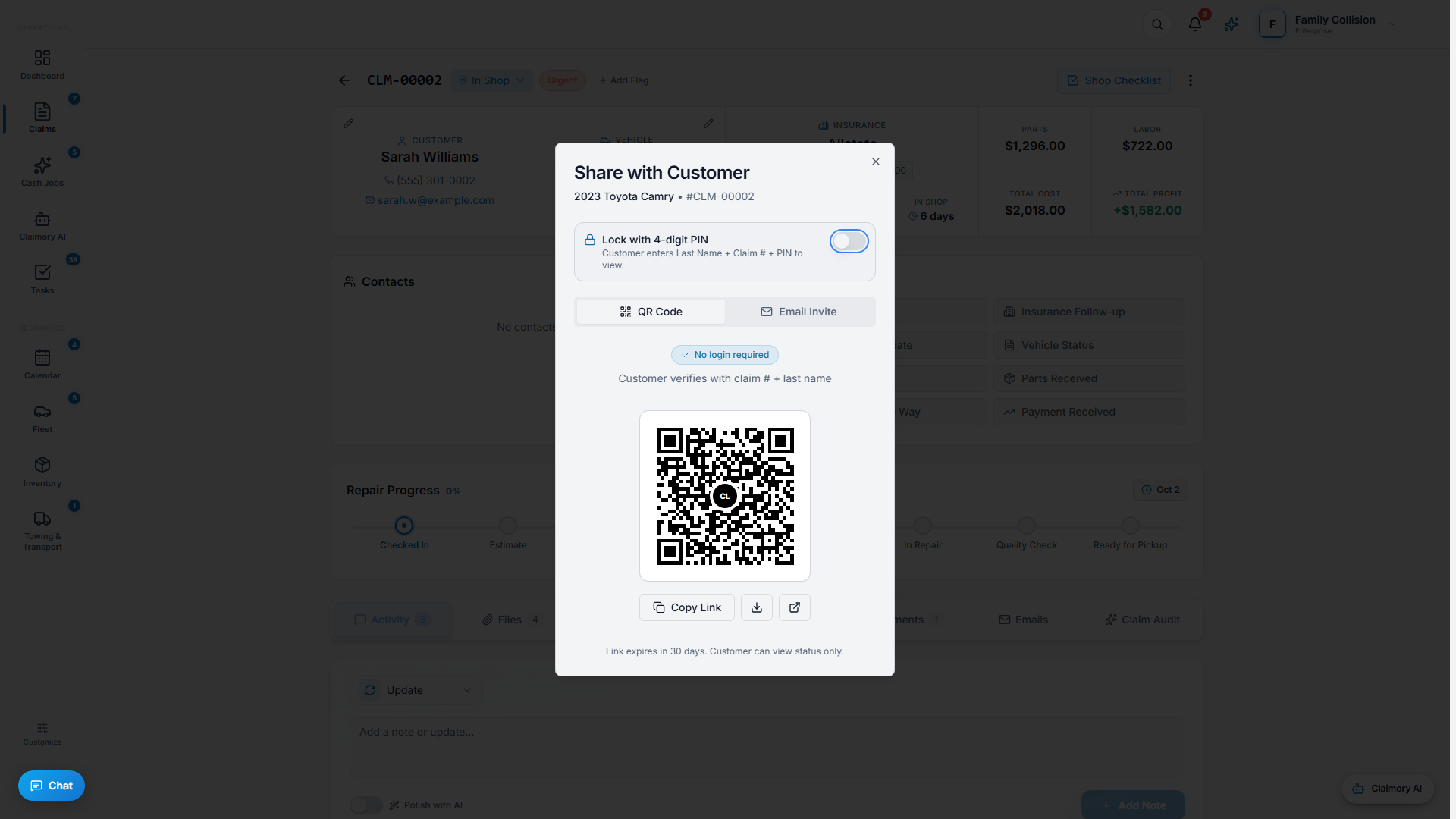
The customer portal is the single biggest cut to status calls. Customers get a link to track their own repair, see progress photos, and pay their deductible, without calling the front desk.
Step 1
1
Invite a customer
Open a claim, use the actions menu, and choose Invite Customer. Send the link by text or email, or show the QR code in the shop. No account is required for the basic status view.
app.claimory.io/claims
2
Step 2
2
What the customer sees
The customer lands on a page with their claim number, vehicle and insurance, a current status badge, and a repair-progress tracker. It is clean, branded to your shop, and easy to read on a phone.
Step 3
3
Photos, documents, and payment
When they sign in to the full portal, customers can view the progress photos you share, upload their own documents (like damage photos), and pay a deductible or invoice through your connected Stripe.
Pro tip
Customer-portal users are free and never count against your seat limit.
4
Step 4
4
Keep it updated automatically
Status changes you make on the claim update the portal in real time, and the automatic email and SMS notifications point customers back to it. Set the defaults in Settings, Notifications.