
Creating and Importing Claims
A claim is the unit of work in Claimory: one car, one incident, one insurance interaction. Here is how to get one into the system, either fresh or imported from your estimate.

- Step 11
Open the claims list
Click Claims in the left rail. You get the master list of every insurance claim with a financial KPI strip (Active Claims, Revenue, Costs, Profit), search, status and carrier filters, and a sort control. Active and completed claims are grouped separately.
app.claimory.io/claims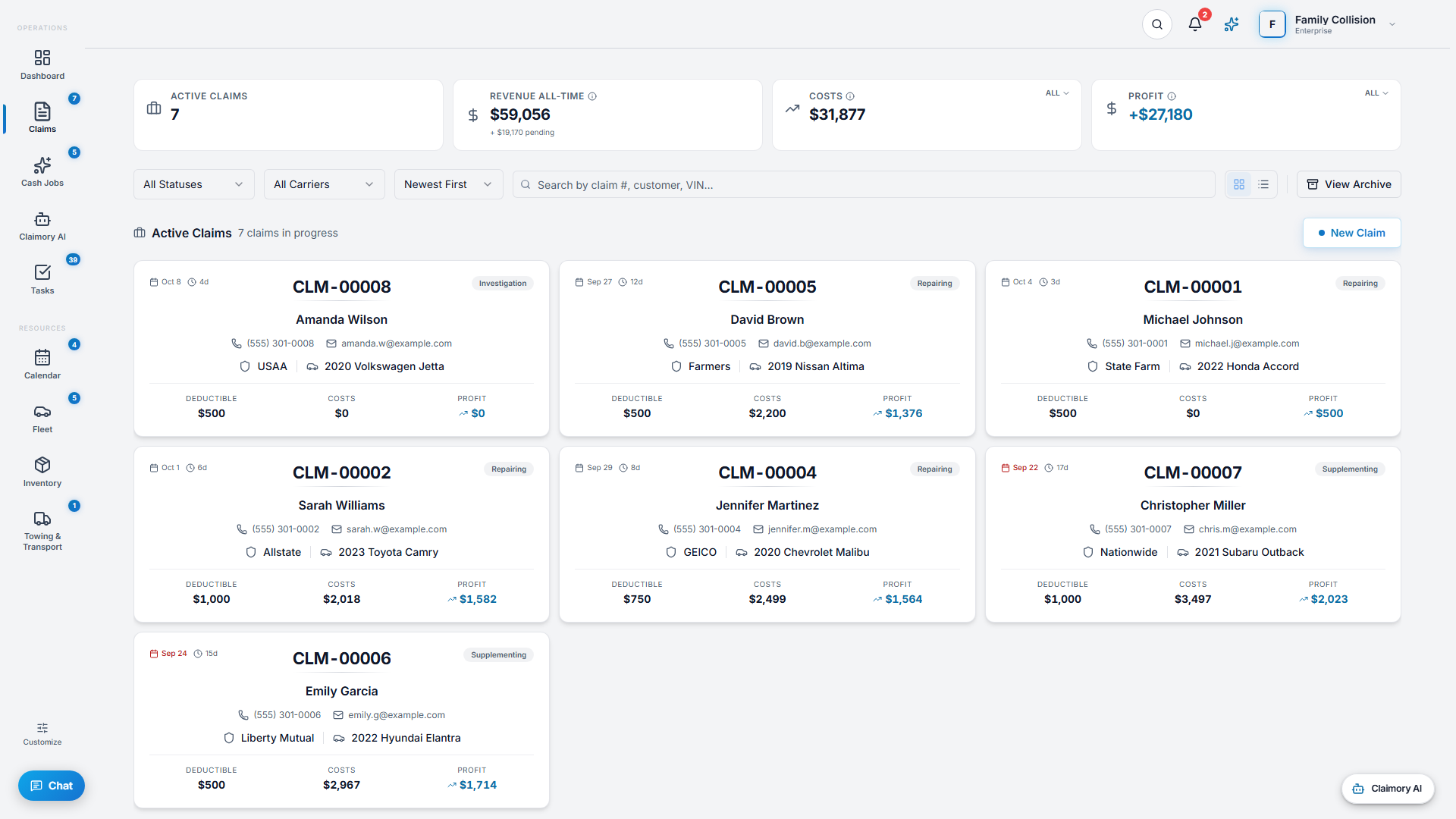
- Step 22
Create a claim by hand
Press New Claim and enter the customer, vehicle (VIN, plate, color), and carrier. The claim gets an RO number and is ready to work. Use this path for a walk-in or a claim you are starting before the estimate exists.
app.claimory.io/claims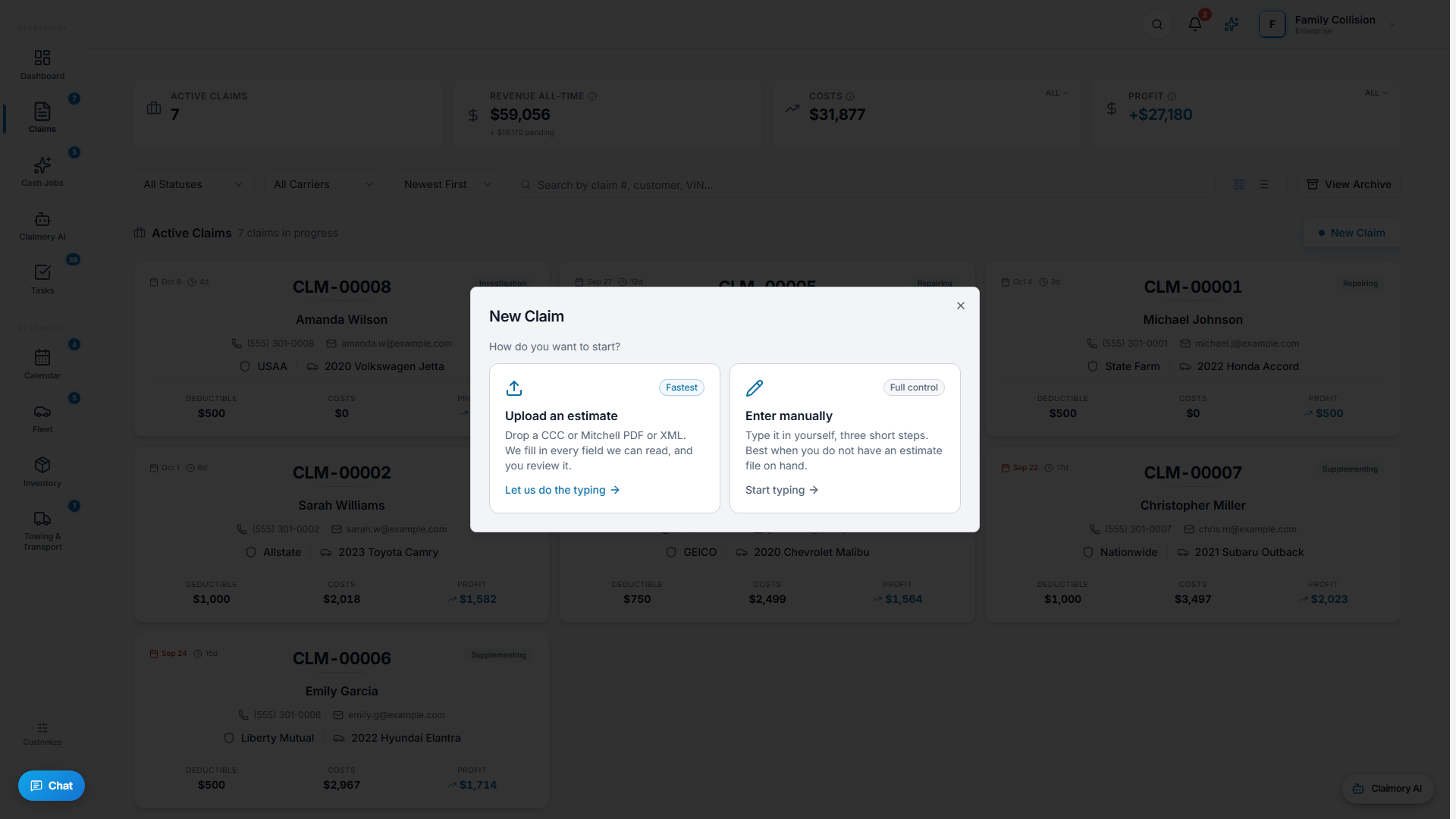
- Step 33
Or import the estimate
From the create dialog choose Import Estimate. Claimory accepts a CCC ONE or Mitchell Cloud XML export directly, and an Audatex estimate as a PDF that the AI parses into line items. This pulls the dollar breakdown in so you are not retyping it.
Tip. The connection is one-way import, not a live sync. You stay in your estimating platform to write estimates and bring them into Claimory to run the claim.
In this step - CCC ONE and Mitchell Cloud: export the estimate as XML, then import.
- Audatex: save the estimate as a PDF, then import (the parser reads it).
- Step 44
Set the status and key details
A claim moves through statuses: New, Repairing, Supplementing, Investigation, and Waiting On Insurance, then Completed, Delivered, or Total Loss. Set the carrier, the arrived date, and the vehicle location so the team and the customer portal stay accurate.
app.claimory.io/claims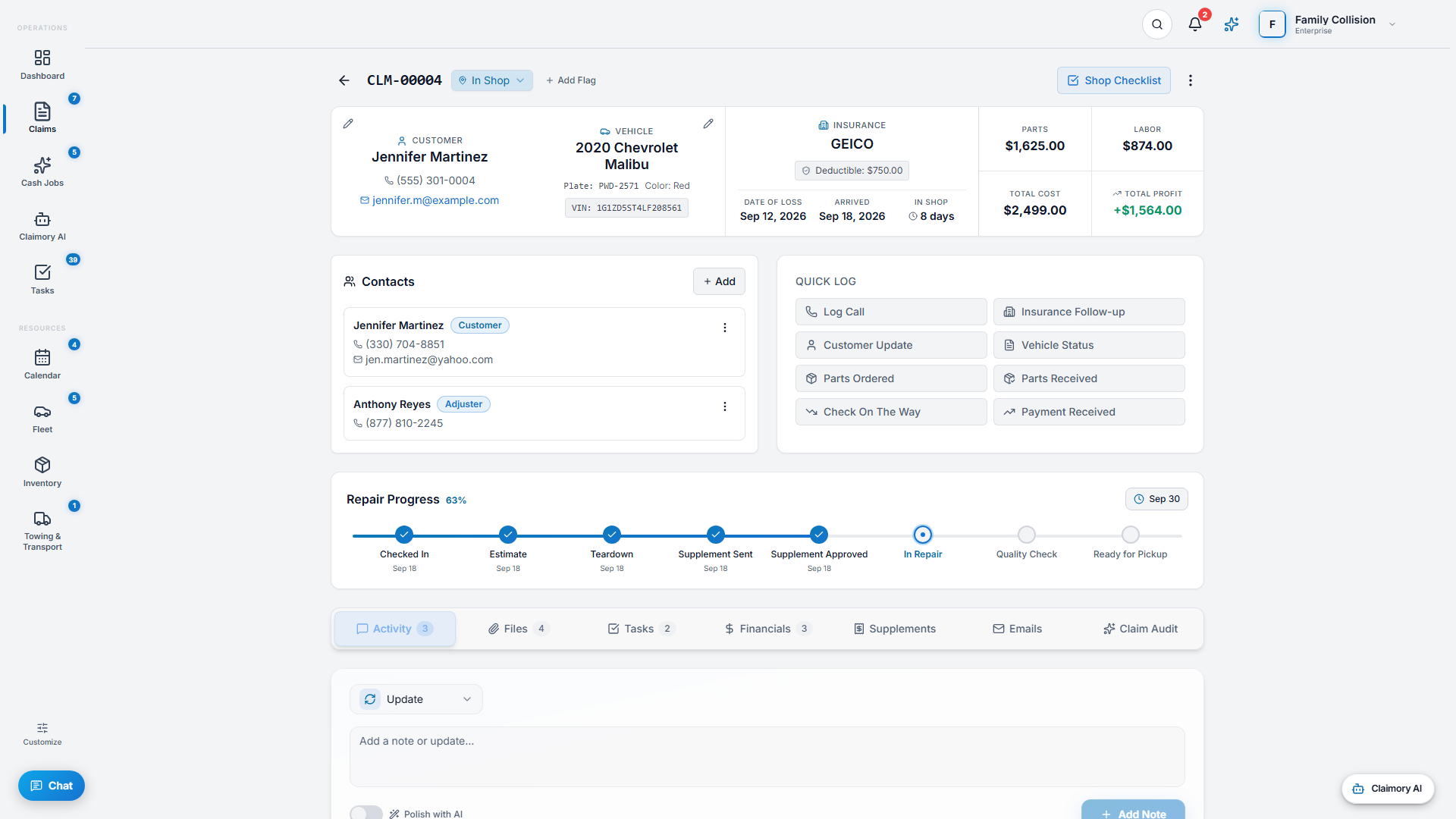
- Step 55
Flag anything risky
Add flags so the whole team sees a claim's situation at a glance: Potential Total Loss, Attorney Involved, Payment Issue, Parts Backorder, High Risk, or Investigation.
app.claimory.io/claims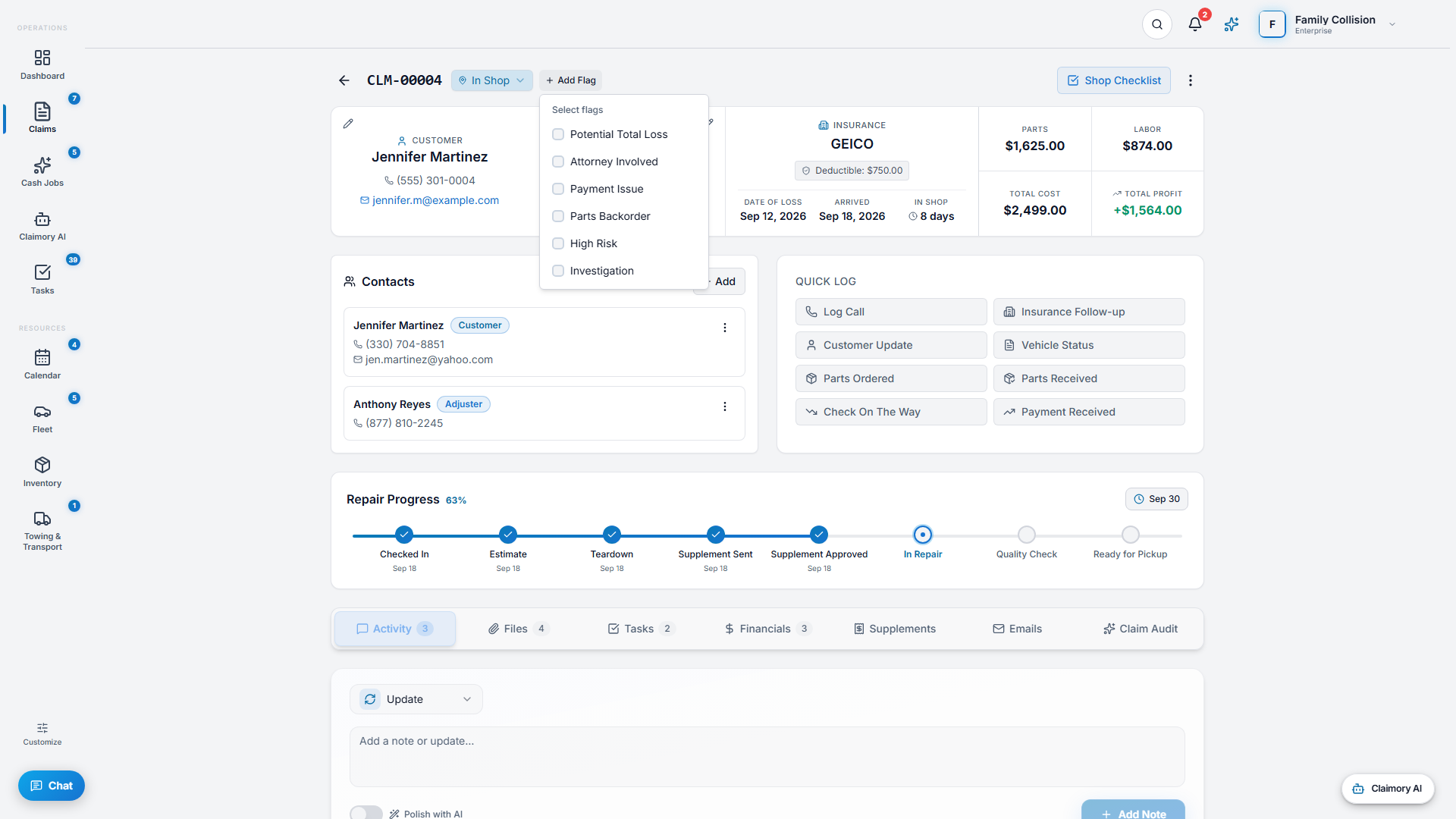


Common questions
Related tutorials
Ready to run your shop on Claimory?
Start a free 14-day trial. No credit card. The full Professional feature set, and an office manager onboarded in about 30 minutes.
No credit card. Works with CCC ONE and Mitchell.