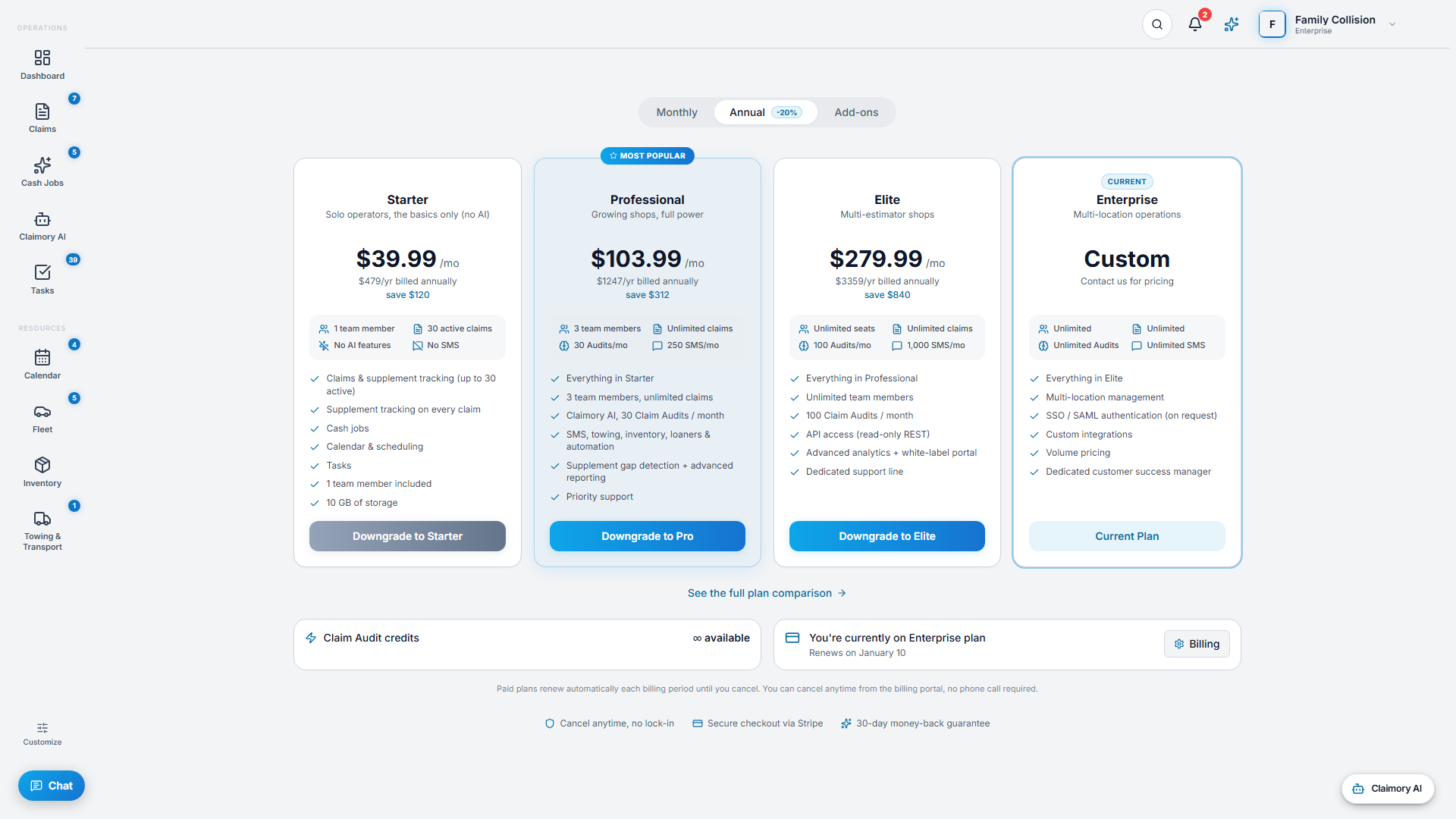
Billing is where you pick the plan that fits your shop and manage payment. Plans are priced per location, monthly or annually, and you can cancel anytime. Available to managers and admins.
Step 1
1
Open Billing
From the user menu, open Billing. You see your trial status or current plan, and the four plan cards: Starter, Professional, Elite, and Enterprise.
app.claimory.io/billing
Step 2
2
Compare the plans
Starter is $49.99 per month (1 seat, 30 active claims, no AI or SMS). Professional is $129.99 (3 seats, unlimited claims, 30 Claim Audits and 250 SMS per month with the $9.99/month texting add-on). Elite is $349.99 (unlimited seats, 100 audits, 1,000 SMS). Enterprise is custom. Annual billing saves about 20 percent.
Pro tip
Catch one supplement and Professional pays for itself many times over.
3
Step 3
3
Upgrade, downgrade, or reactivate
Pick a plan to upgrade through Stripe checkout, or change in place. Use Open Billing Portal to update your card, download invoices, or cancel.
4
Step 4
4
Trial to paid
The 14-day trial unlocks the full Professional feature set with no credit card, capped at 5 active claims and 3 Claim Audits. When it ends, choose a plan to continue. Your data is never deleted.